If you run local Google Ads campaigns, you’ve probably used radius targeting at some point.

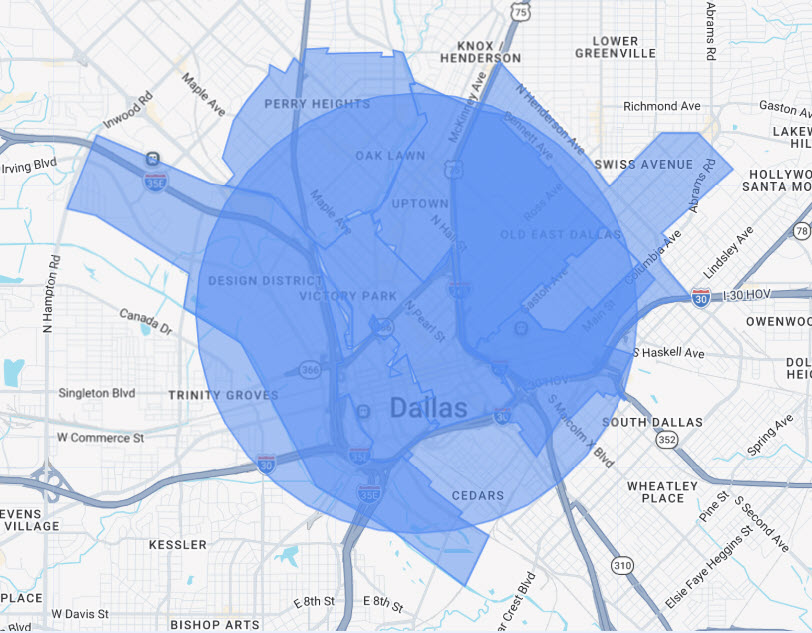
It seems convenient: pick a point on the map and draw a circle — 5 miles, 10 miles, 20 miles — around your business.

Easy, right?

But radius targeting comes with a hidden limitation that many advertisers don’t realize:

You can see the data inside the radius… but you can’t act on it.

And that can quietly limit your ability to optimize your campaigns.

radius targeting in Google Ads

What Radius Targeting Actually Shows You

When you target a radius in Google Ads and open the Locations report, your radius usually appears as a single row.

At first glance, it looks like you have no detailed geographic data.

However, Google does allow you to dig deeper.

If you go to:

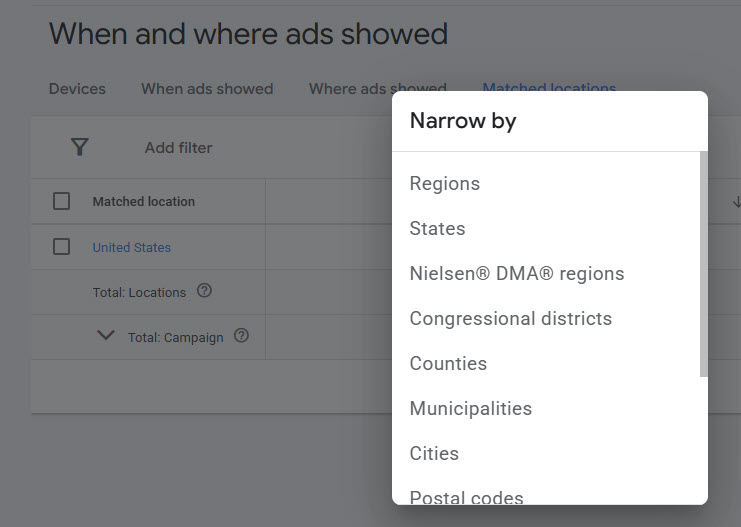
Insights & reports → When and where ads showed → Matched locations

…and then click on the radius row, you can use “Narrow by” to break the data down by:

  • Postal codes
  • Neighborhoods
  • Cities

So yes — the detailed data does exist.

You can see which areas inside the radius generate impressions, clicks, and conversions.

But here’s the catch.

The Real Problem: You Can’t Optimize Inside a Radius

Even though Google shows you the data, you can’t actually optimize those sub-areas directly when you’re using radius targeting.

Inside a radius target, you cannot:

  • Increase bids for high-performing ZIP codes
  • Decrease bids in weak areas
  • Pause poor-performing neighborhoods
  • Shift budget toward top-converting locations (via bid adjustments)

Everything inside the radius is treated as one single targeting unit.

So even if the data shows that one neighborhood converts three times better than another, your campaign can’t react to that information.

You’re stuck treating the entire circle the same way.

zip code targeting provides more data
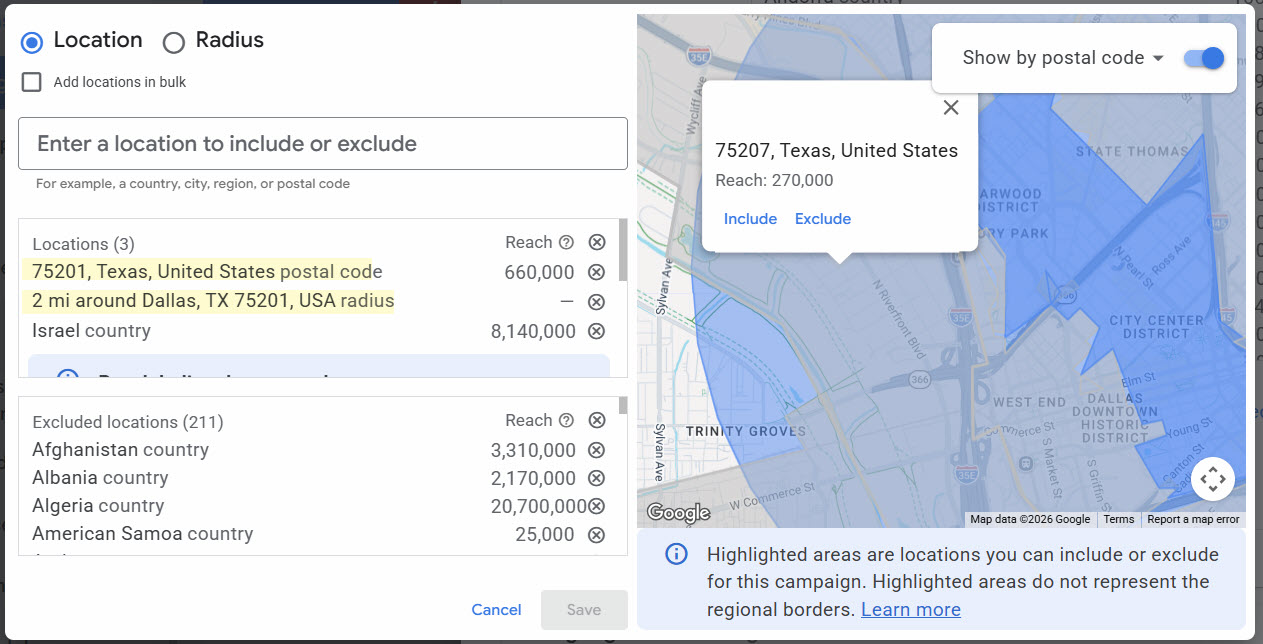
Add zip codes for more refined data

A Better Approach: Target ZIP Codes or Neighborhoods

Instead of targeting a single radius, you can target the individual ZIP codes or neighborhoods that make up that area.

You’ll still cover the same geographic region — but now each area becomes its own optimization unit.

In the Locations report, each ZIP code or neighborhood appears as a separate row with its own data:

  • impressions
  • clicks
  • CTR
  • conversions
  • cost per conversion

Now you can actually take action on what the data tells you.

You can:

  • increase bids on high-converting ZIP codes
  • reduce spend in weaker areas
  • pause locations that waste budget
  • scale the neighborhoods that produce the best leads

Same coverage.

Much more control.

target by zip codes in Google Ads

How to Switch from Radius Targeting

Transitioning from radius targeting to ZIP codes is straightforward.

1. Use the map inside Google Ads location targeting, or just ask your handy AI to generate all ZIP codes inside your current radius.
2. Add those ZIP codes as targeted locations in your campaign (you can paste many at once).
3. Keep your radius targeting active temporarily as a safety net.
4. Once performance data starts appearing by ZIP code, remove the radius target.

Now every location becomes something you can optimize individually.

Bottom Line

Radius targeting isn’t useless.

It’s quick and easy to set up.

But it limits one of the most powerful advantages of digital advertising: the ability to optimize based on data.

While Google Ads does allow you to view granular geographic data inside a radius, it doesn’t allow you to act on it.

By targeting ZIP codes or neighborhoods instead, you turn location data into something you can actually optimize.

And that’s when local campaigns start getting smarter.

Popular Posts
Recent Posts
March 18, 2026
Trust but Verify: How to Check if Website Reviews Are Real
March 9, 2026
Why Radius Targeting in Google Ads Limits Your Optimization (And What to Use Instead)
December 7, 2025
The Hidden Cost of Asking for 5-Star Reviews—and What to Do Instead
August 10, 2025
The Surprising Truth About Ad A/B Testing: Why Small CTR Differences Might Be Misleading
July 22, 2025
When Does Google’s AI Take the Top Spot in Search Results?
June 30, 2025
Importing Google Ads Campaigns to Bing Ads: The Geographic Targeting Issue
July 17, 2024
Jewish Search Engines and Jewish Information Finders
July 14, 2024
Google Search for “Current Famines” Fails to Show Relevant Results
June 23, 2024
Are Google and Bing Hiding the UN Report Showing No Starvation in Gaza?
May 29, 2024
AI, Google Translate & Digital Marketing
Categories